Every quote you email includes a secure link where the client can view and accept it online: no printing, no scanning, no "I'll get back to you". They see a clean, branded version of your quote with an Accept button, and can accept or decline in one tap, from any device, without creating an account.
What the client does
The online quote shows the same thing your PDF does: the scope, the pricing, any deposit, and your terms and conditions sitting directly above the buttons, so they're read before anything is agreed.
To accept, the client types their name and signs with a finger or mouse. Both are required, so an acceptance is never just an anonymous button press. To decline, they can add a short reason, which comes back to you with the notification.
Clients with a client portal don't need the email at all: their quotes are waiting under the job, and they accept or decline there in exactly the same way. Handy when the email has been buried for a fortnight.
Make it easy to say yes
One tap to accept, no account required, and signing works on a phone screen. That's one fewer reason to stall.
The signed PDF
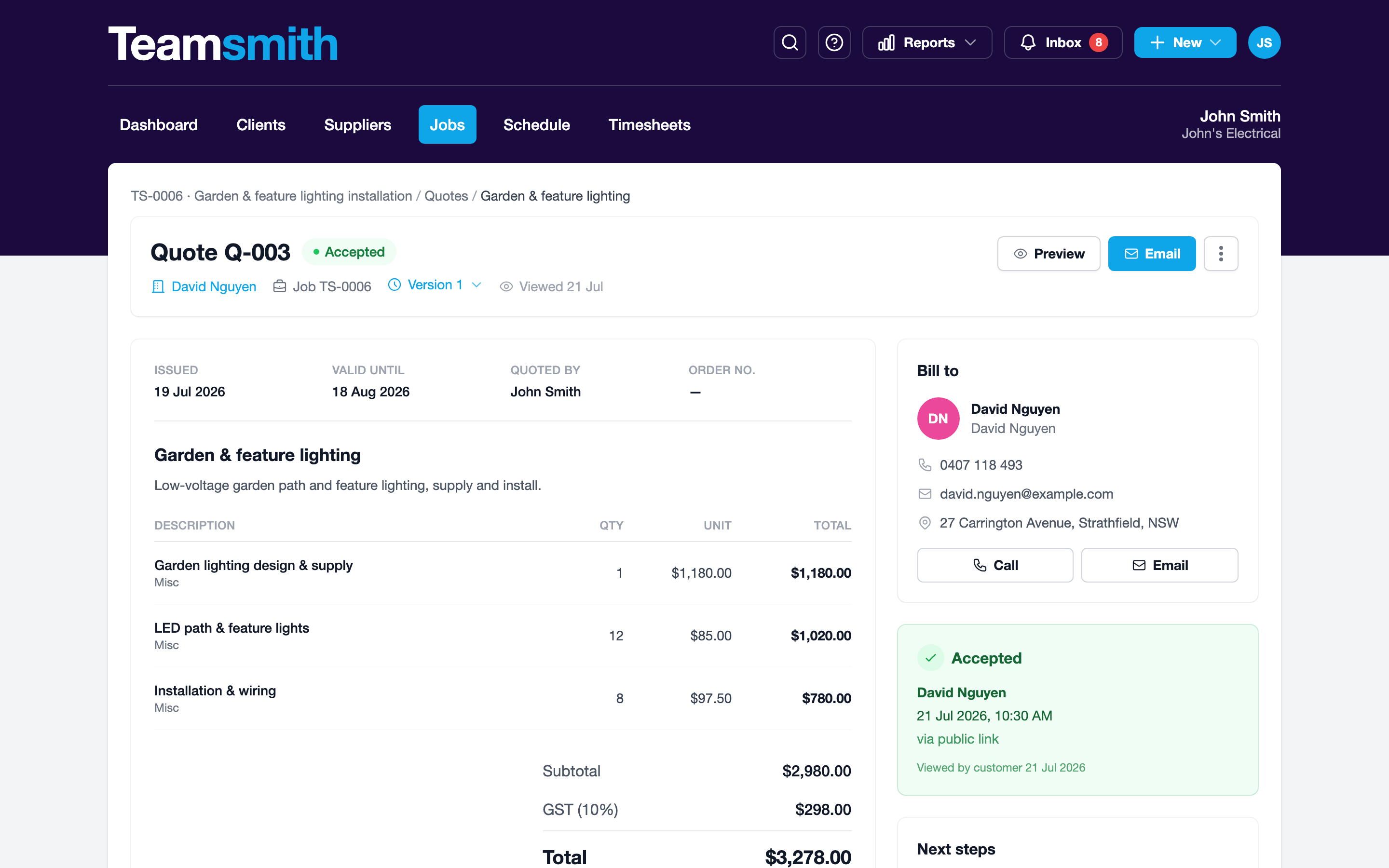
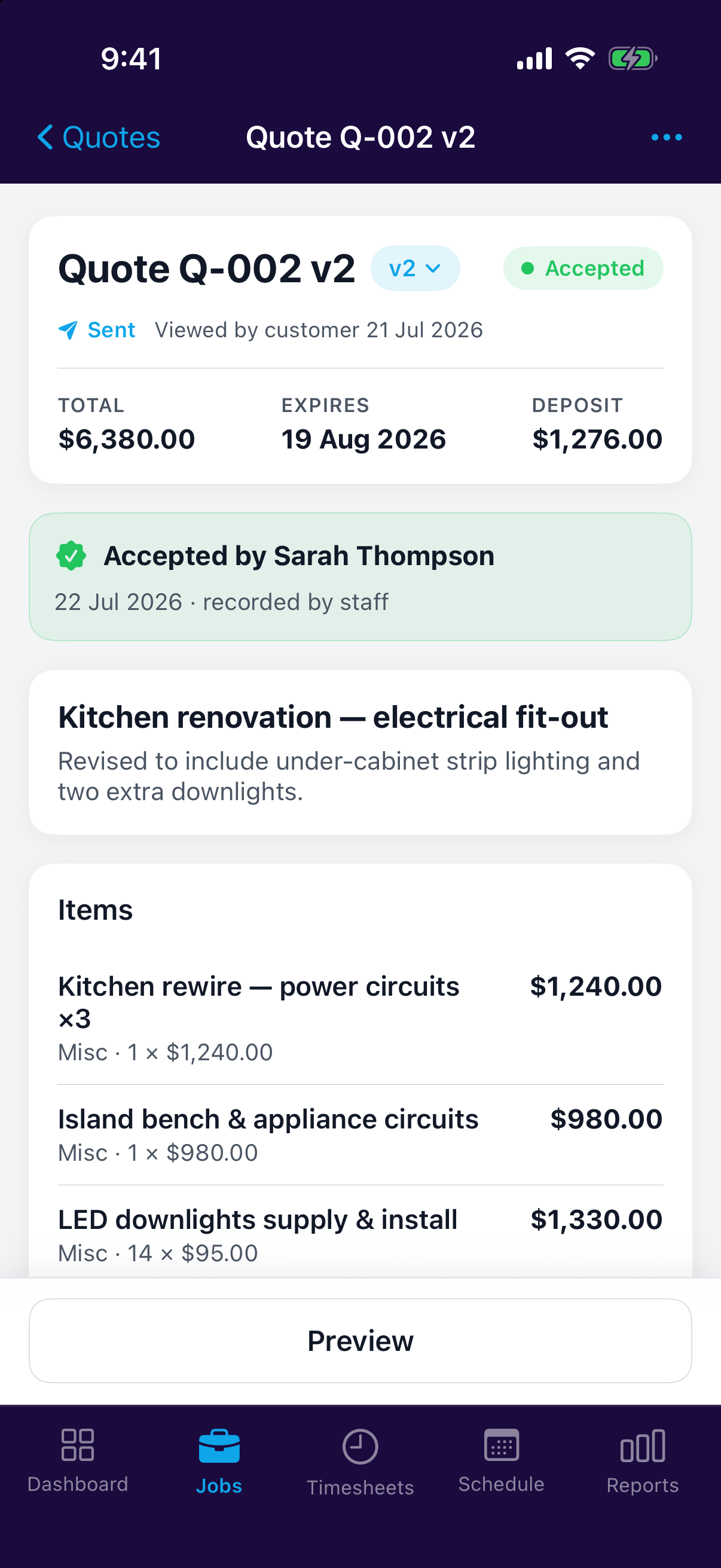
Once a quote is accepted, its PDF carries the acceptance on the page: an Acceptance panel showing who signed, the date and time in your business's timezone, their signature, and whether it was accepted online or recorded by you.
That means the quote PDF stands on its own as evidence of the agreement. If you're ever asked to show what was agreed and when, by a client, an insurer or a lender, it's one file rather than a quote plus a screenshot of an email.
If they'd rather sign on paper
Some clients still want to print, sign and send it back, and the PDF supports that too. Any quote that hasn't been accepted yet ends with a printed block for Print name, Signature and Date, above the line confirming they've read and accept the quote and its conditions.
You can also record an acceptance yourself: mark the quote accepted and enter the client's name. The PDF then shows it as recorded by the sender rather than accepted online, so the two are never confused.
Knowing where a quote stands
The quote's activity feed shows when the client viewed it, and you're notified the moment they accept or decline: in the app, by email or by push notification, depending on your notification settings.
Open the quote to read its activity feed: viewed, accepted or declined, each with a timestamp. Once it's accepted, the quote can be turned straight into a work order, an invoice or a list of tasks: see After a Quote is Accepted.
Open the quote to see the same activity feed on your phone, so you know a quote's landed while you're still on site.
Quotes that can't be accepted
Teamsmith won't let a client accept a quote that shouldn't be accepted. A quote that has passed its expiry date, been replaced by a newer version, or already been declined or cancelled shows its status instead of the buttons.
The PDF says the same thing. A quote that isn't live is stamped across the page with DRAFT, EXPIRED, SUPERSEDED, DECLINED or CANCELLED, so a draft you sent yourself to check, or an old version still sitting in someone's inbox, can't be mistaken for the real thing.
Revised a quote?
Revising a quote supersedes the old version and its link. The client is pointed at the current version instead of quietly accepting last week's price. See Quote Versions.