On a big job you rarely want to wait until the last day to get paid. Ask for a deposit before you start, claim payments as the work progresses, then invoice the balance at the end. Teamsmith keeps track of what you've claimed so far so the numbers always add up.
All the figures below exclude GST, the same way your quote prices do. GST is added on top of each claim and shown as its own line on the invoice. (If your business isn't registered for GST, or the client is marked as not charged GST, no GST is added and the figures are simply the amounts billed.)
Ask for a deposit on the quote
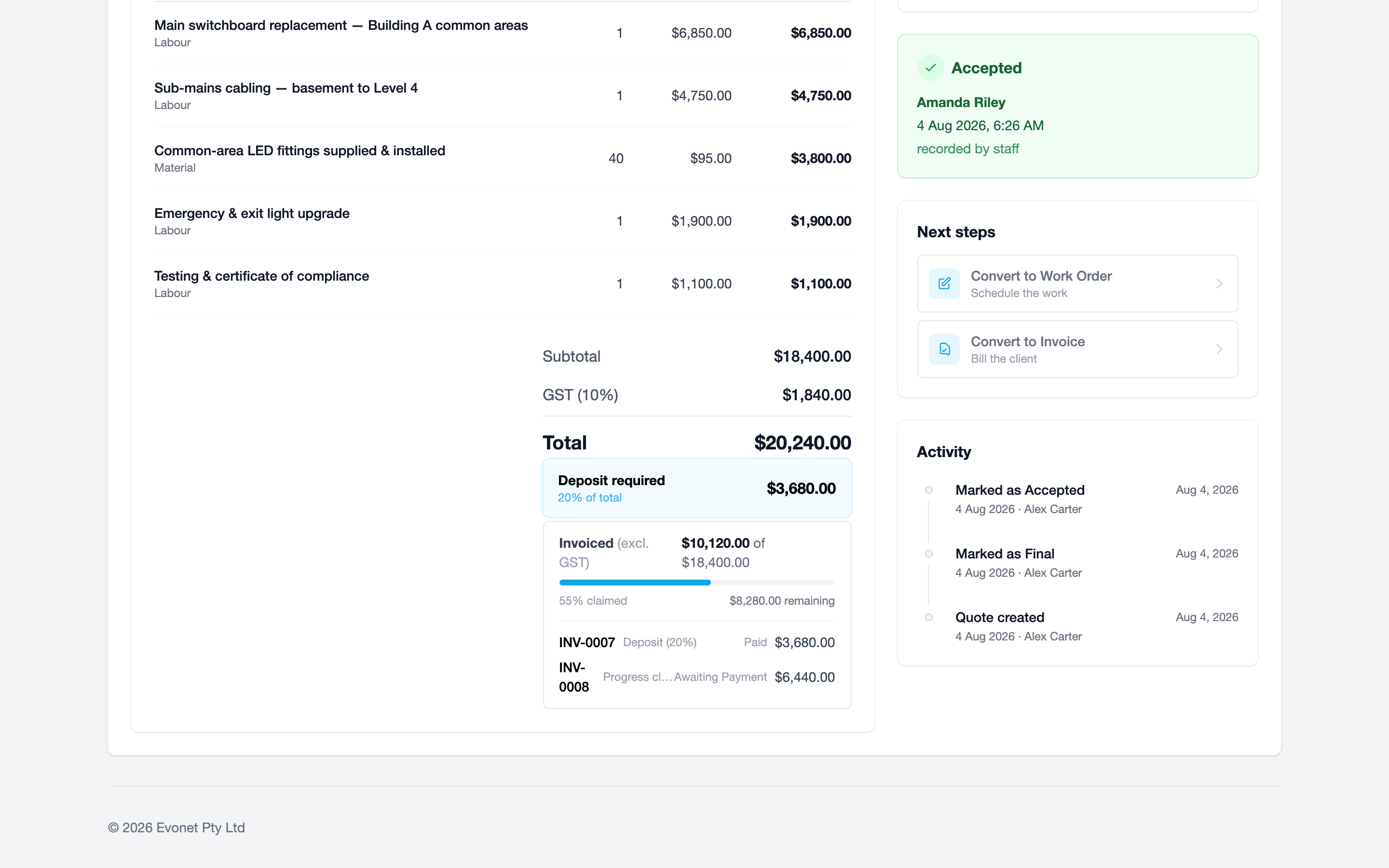
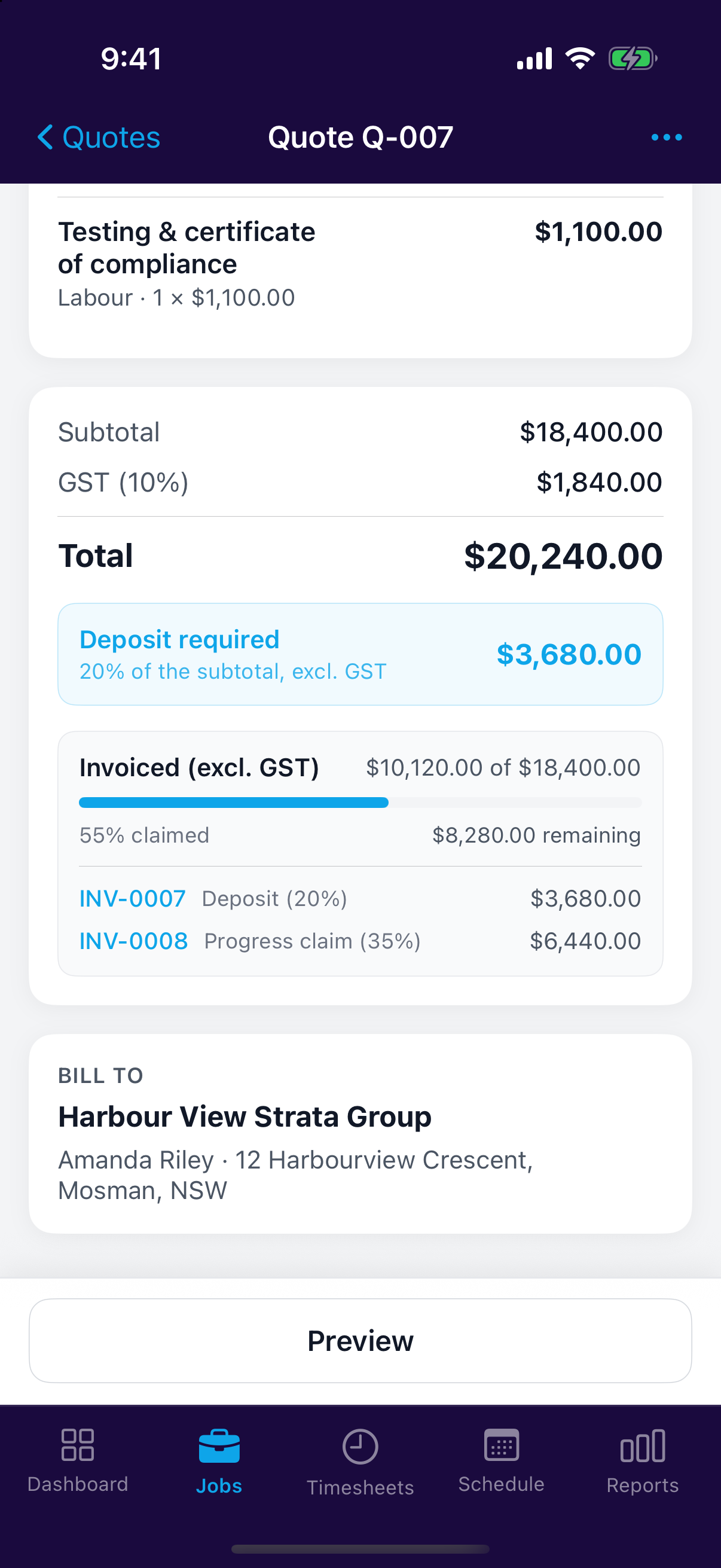
Set the deposit while you're building the quote, either as a percentage of the quote or a fixed amount. The client sees it on the quote and on the PDF, so there are no surprises when the first invoice lands.
If you usually ask for one, switch on Ask for a deposit by default under Settings → Quotes and set your usual percentage. New quotes start with that deposit already in place, and you can still change or remove it on any individual quote.
Turn on the deposit in the quote's pricing section and choose the percentage or amount.
Switch on Require deposit while building the quote and set the percentage or amount.
Raise the deposit invoice
Once the client accepts the quote, raise the deposit as a real invoice from the quote's actions. Nothing is invoiced automatically, so you stay in control of when it goes out.
One deposit per quote
Teamsmith only lets you raise the deposit once. After that the quote's actions offer progress claims instead.
Claim as the work progresses
As the job moves along, raise a progress claim one of three ways:
- By item — tick the quote lines that are finished. Each one becomes a line on the invoice, so the client can see exactly what they're paying for.
- By percentage — a share of the quoted total, the usual shape for a staged contract.
- By amount — a straight dollar figure.
Whichever you pick, Teamsmith shows what's already been claimed and what's left, and blocks a claim that would take you past the quoted total. You can mix the three on the same quote.
Lines you've already billed come back greyed out with the invoice they went on, so you can't bill one twice. Anything claimed by percentage or amount can't be pinned to a particular line, so the item list notes that separately rather than pretending those lines are still unbilled.
When you're ready to bill the rest, Invoice remaining balance raises a final claim for exactly what's outstanding.
What the client sees
Every deposit and progress claim invoice carries a short contract summary: the quoted total, what was claimed before this invoice, this claim, and the balance still to come. It's the same picture you see in Teamsmith, so there's nothing to explain over the phone.
That summary is fixed at the time you raise the claim, so reprinting an old invoice later still shows the position as the client saw it.
Keeping track
The accepted quote shows a running tally: how much of the job has been invoiced, how much is left, and every claim raised against it. Each one links straight to its invoice.
Revised a quote?
Claims follow the job, not the individual quote version. If you revise a quote and the client accepts the new version, everything already claimed still counts toward it.